
Built from scratch, not a fork
Luisrender
A macOS browser written in Swift, AppKit, and WKWebView — with real ad blocking, a fully custom Picture-in-Picture, and built-in DevTools.
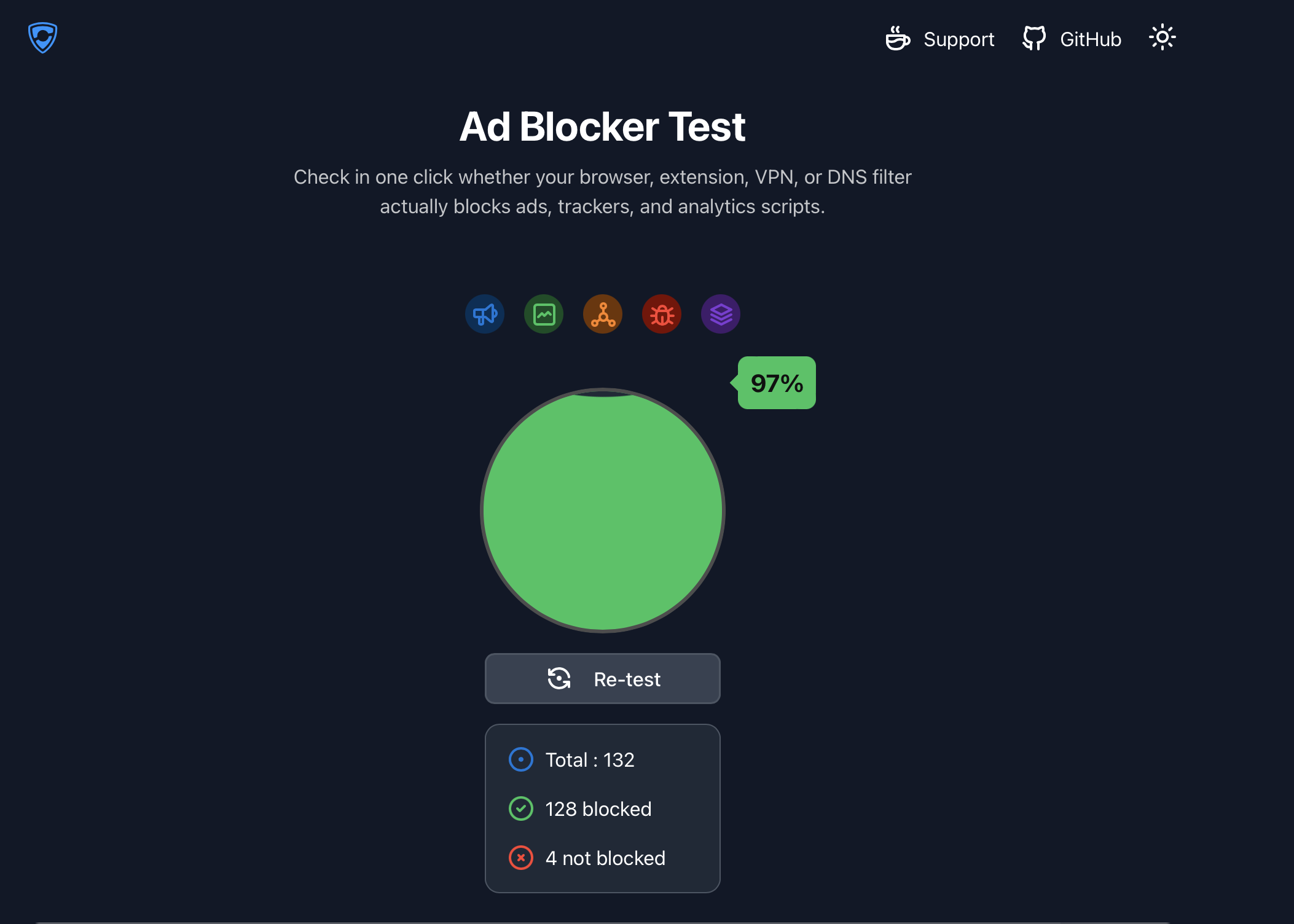
Verified against adblock.turtlecute.org's real ad/tracker test — 128 of 132 requests blocked.
The toolbar's live blocked-request counter, screen-recorded in real use:
No extensions required — every feature below ships in the app itself.
110,000+ rules from EasyList, EasyPrivacy, and AdGuard, compiled into Apple's native content-blocking engine — genuine network-level blocking, not just element hiding.
A fully custom floating video window — not the built-in browser PiP — up to 720p60, with the source video hidden from the page while it plays.
Live network requests with resend, a console, and a live HTML editor — all built in, no extension required.
WebAuthn support via the system's platform authenticator — sign in with Touch ID where sites support it.
Toggle ad blocking, clear cookies and cache, set a custom homepage — all wired to working functionality.
An in-app log viewer streaming real activity from the ad blocker, PiP, and DevTools as it happens.
Three steps — no App Store, no notarization wait.
Grab it from the button above, open it, then drag Luisrender into your Applications folder.
Luisrender is ad-hoc signed, not notarized, so macOS will flag it as from an unidentified developer. Right-click the app and choose Open to confirm it anyway — only needed once.
That's it — ad blocking, tabs, and DevTools are already active. Cmd+, opens Settings if you want to tweak anything.
Straight answers, no marketing hedge.
Notarization is Apple scanning a build for known malware before you run it — it isn't a guarantee of trustworthiness by itself, but skipping it means macOS can't do that automatic check, so you're trusting the source instead. Luisrender is ad-hoc signed because notarization requires a paid Apple Developer account. The full source of every feature is exactly what's described on this page.
No. There's no account system and no sync — cookies, passkeys, and browsing data are stored locally via macOS's standard WebKit data store, same as any WKWebView app, but nothing leaves your machine through Luisrender itself.
Same source filter lists (EasyList, EasyPrivacy, AdGuard), but converted into Apple's native WKContentRuleList format ourselves rather than uBlock's engine — real network-level blocking built into the browser, not an extension you install separately.
The app requests it, but macOS's Default Web Browser picker in System Settings filters out apps that aren't signed with a real Apple Developer ID — ad-hoc signing isn't enough to appear in that list. You can still open links and files with Luisrender manually via Finder's "Open With."
Manual — open Settings (Cmd+,) and click "Check for Updates." It fetches the latest build, downloads it, and replaces the installed app in place, no fresh .dmg needed.
Not currently — closed source for now. Everything it does is documented plainly on this page instead.
WebAuthn is supported, but the platform-authenticator path (Touch ID specifically, in a non-Safari browser) requires Apple's com.apple.developer.web-browser entitlement, which only gets granted through a real paid Developer ID signature — not ad-hoc signing. Security-key and cross-device (QR code) passkeys aren't gated the same way and should still work.
WKWebView is Apple's own rendering engine on macOS — it means no giant upstream codebase to maintain, native performance, and direct access to system integrations like Touch ID and Picture-in-Picture. The tradeoff is inheriting WebKit's own quirks (like the background-window JS throttling that shaped how the custom PiP works) instead of Chromium's.